Description
KozeeTV App Live Demo
(Live Sports Channels)โ
How to Subscribe?
Download app
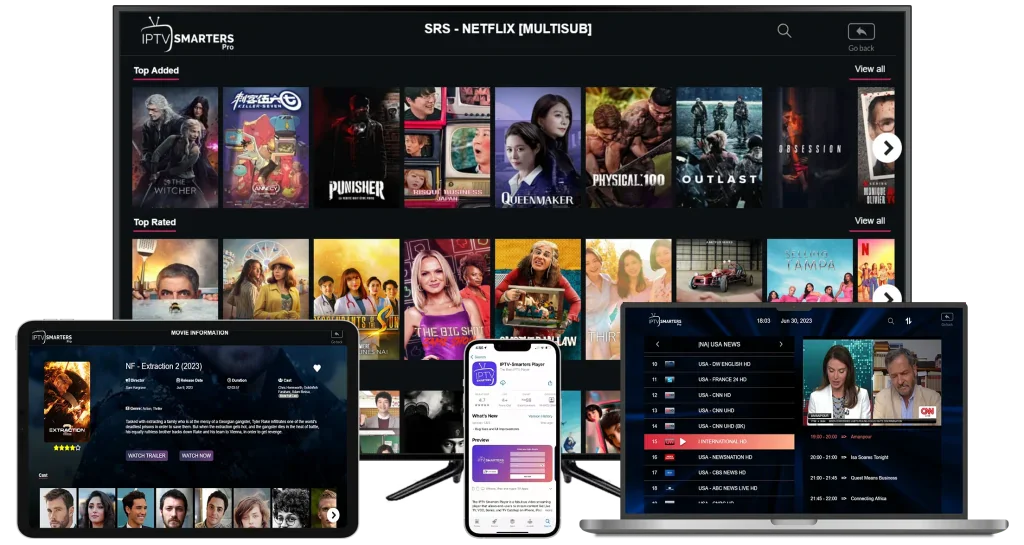
Watch on the web, mobile phone, and Smart TV
Get subscription
After payment, you will receive your login details
Log in with your details
Log in to the app with your details and enjoy.
Movies & Series

Sports & Live TV

How to download IPTV Smarters Pro
Frequently asked questions
If you watch our live channels or movies online, you can do so for free for 24 to 48 hours. Additionally, if you share our website with your friends โ when they click on your referral link โ you will earn points that you can use to watch our content for free for longer.
The number of channels (live) and movies (VOD) available on our website is limited. If you want access to our full library of more than 10,000 channels and movies, you will need to download our app and purchase a subscription.
1. The app has more than 10,000 live channels and movies.
2. You can watch the app on your Smart TV.
3. The experience on the app is better than on the web browser.
Yes, you need to pay to obtain the login credentials and then use them to log in to the app.
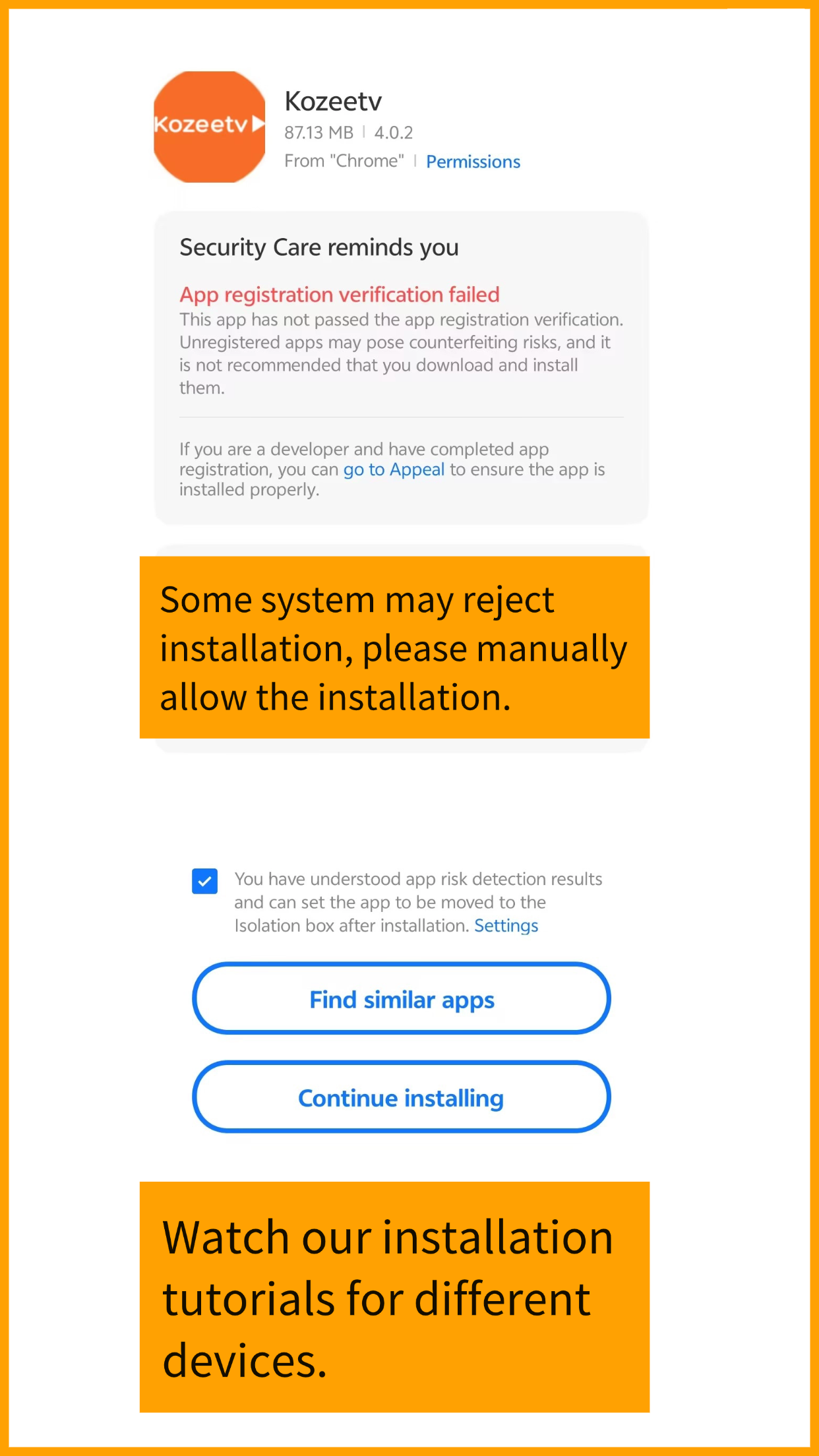
Please allow your phone to install applications from unknown sources; this application is completely safe.โ
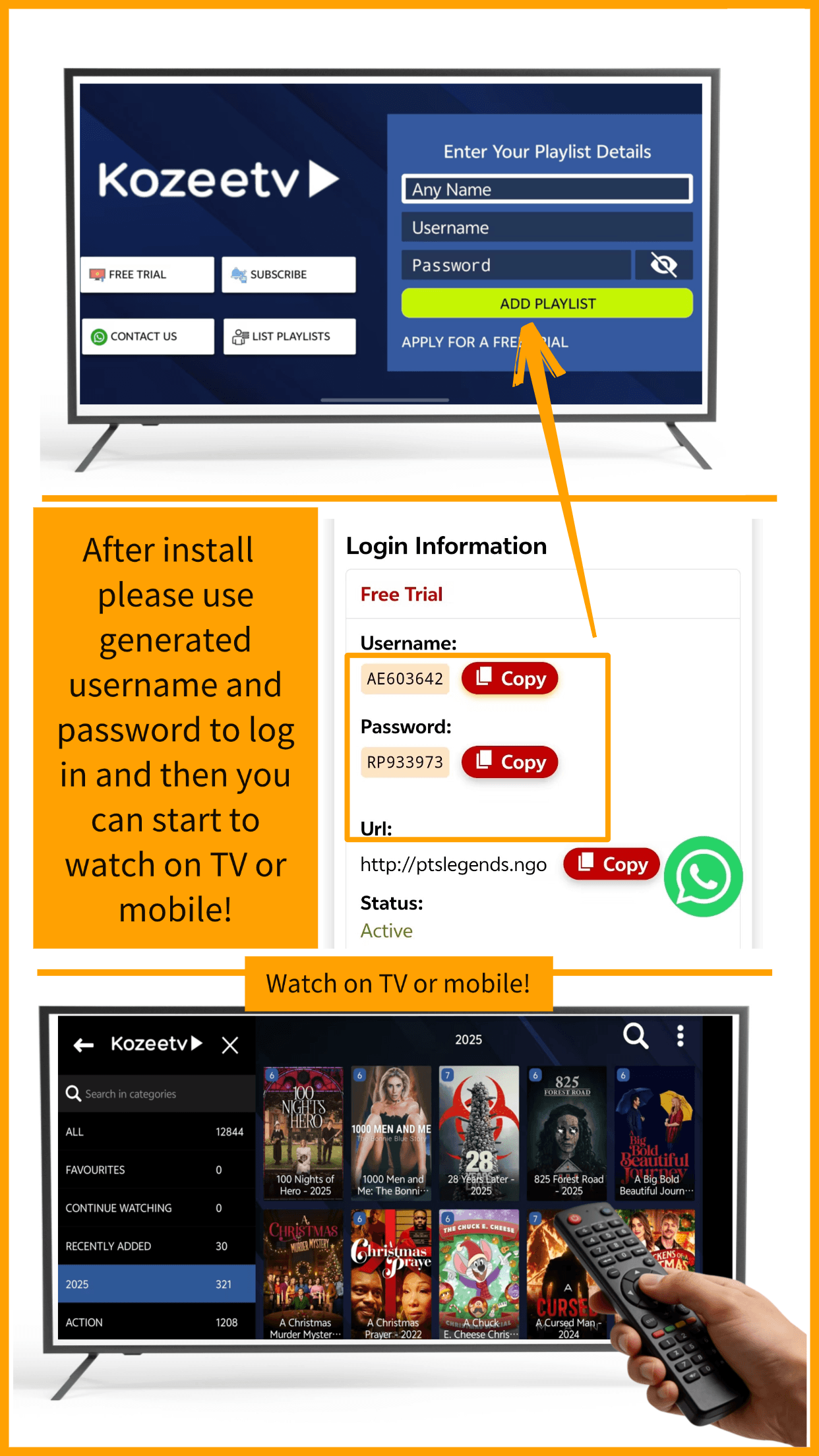
After installing it, select "Mobile" (Mobile), then choose "Xtream Codes" (or "Log in with Xtream Codes"), and select "Add new playlist". Next, enter the username, password, and URL that we provided.โ
For more information, you can watch this video tutorial:โ
https://www.youtube.com/watch?v=AbU6eYccT7I
Installation on different Smart TVs may vary.โโ
If your TV has Google Play Store, simply watch this video::โโ
https://www.youtube.com/watch?v=8VE_0J-5zUo
After installing the application, select "Mobile" (Mobile), then choose "Xtream Code" (or "Log in with Xtream Codes"), select "Add new playlist" (Add Playlist) and enter the username, password, and URL that we provided.โโ
If your TV does not have Google Play Store, search for "IPTV player" in your TV's app store and try the available applications. Basically, any application that is compatible with "m3u" or "Xtream Code" playlists will be able to play the content we offer.โ
Here's what you need:
๐ Install an IPTV app on your TV.
๐ Purchase our login details with a bank card or Telegram Stars.
๐ Enter those details in the app when logging in.
Follow the steps shown in the following image to make your purchase.
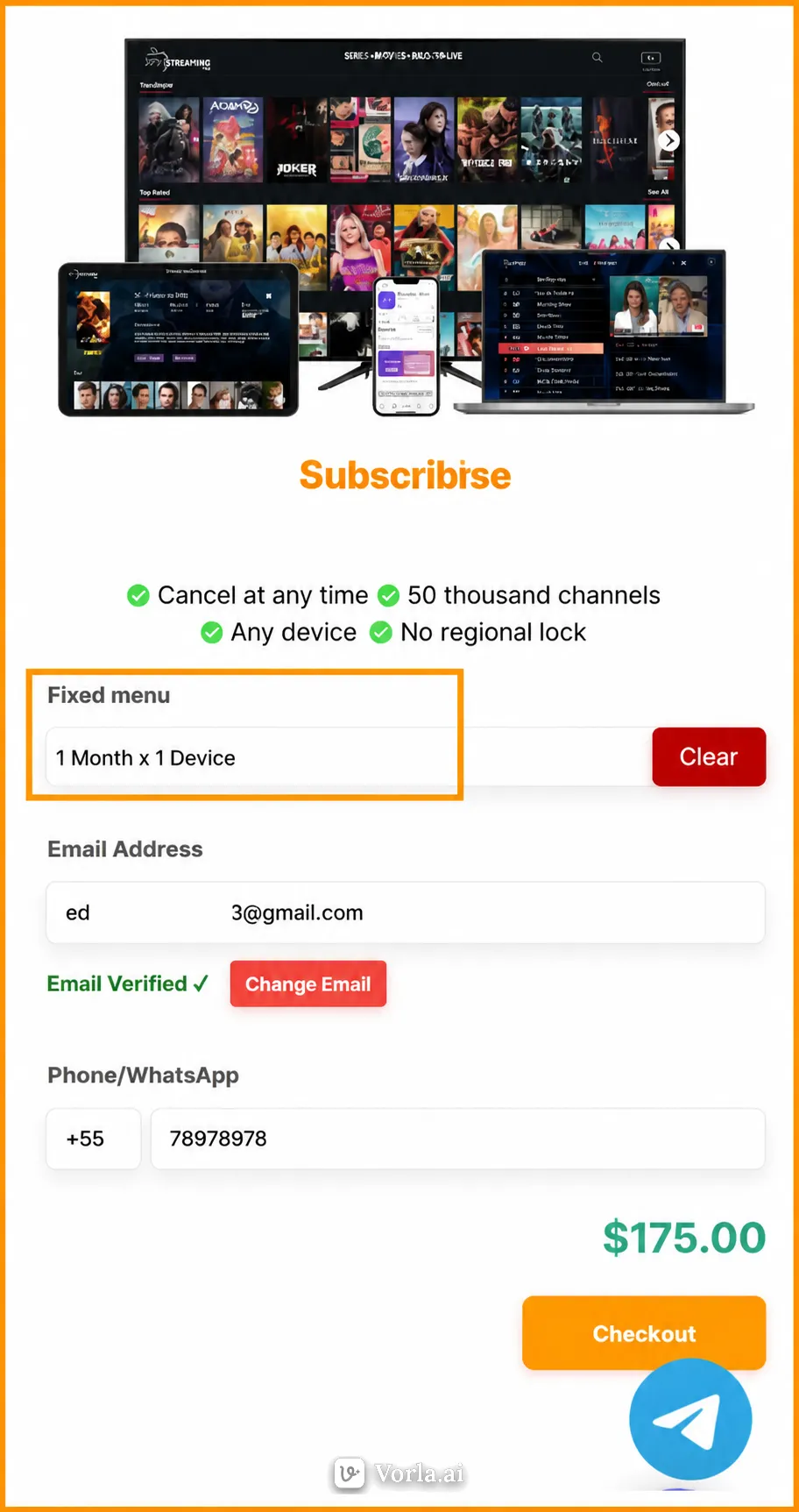
1. Choose a planโ

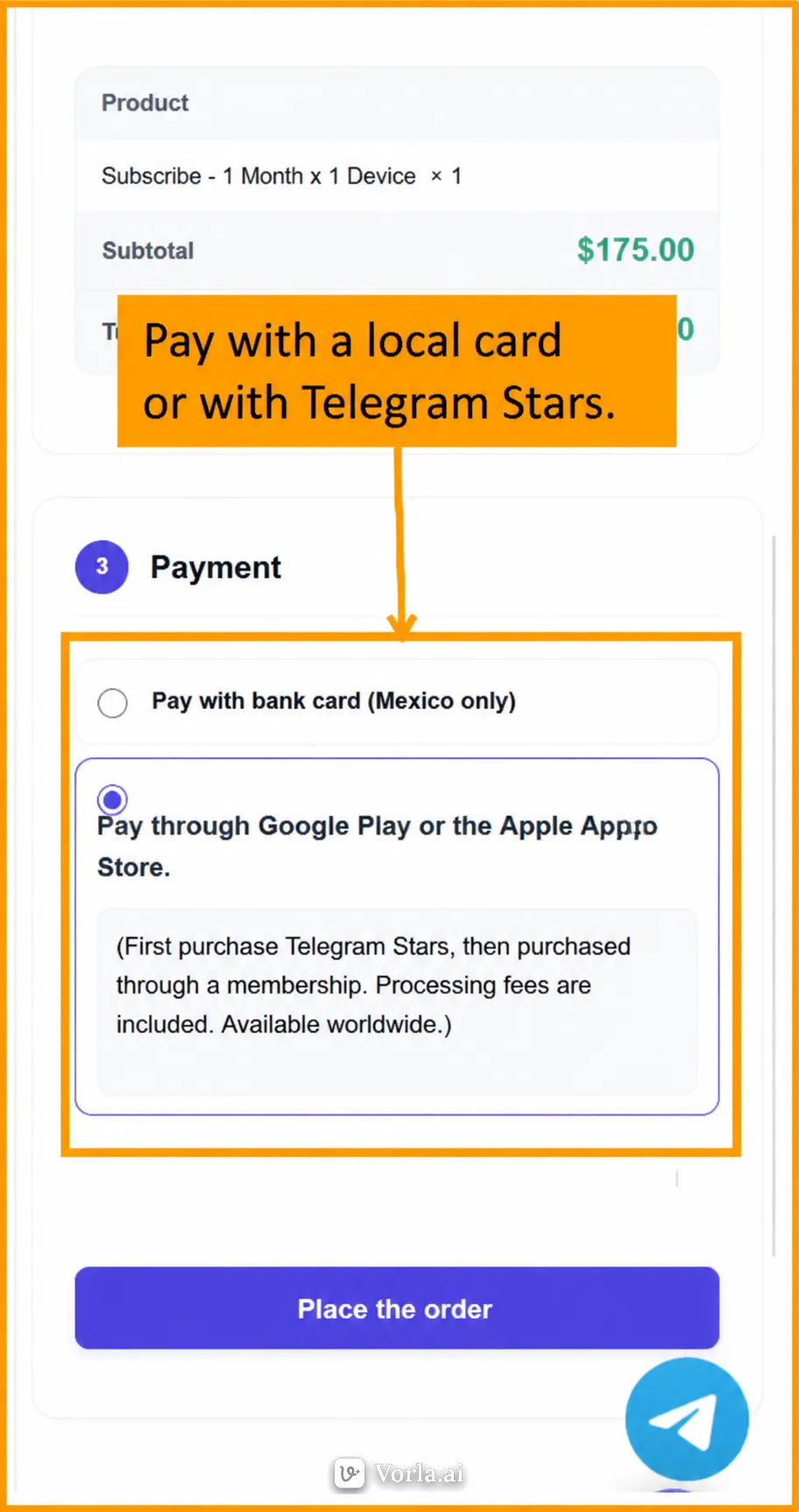
2. Pay with a local card or with Telegram Stars.โโ

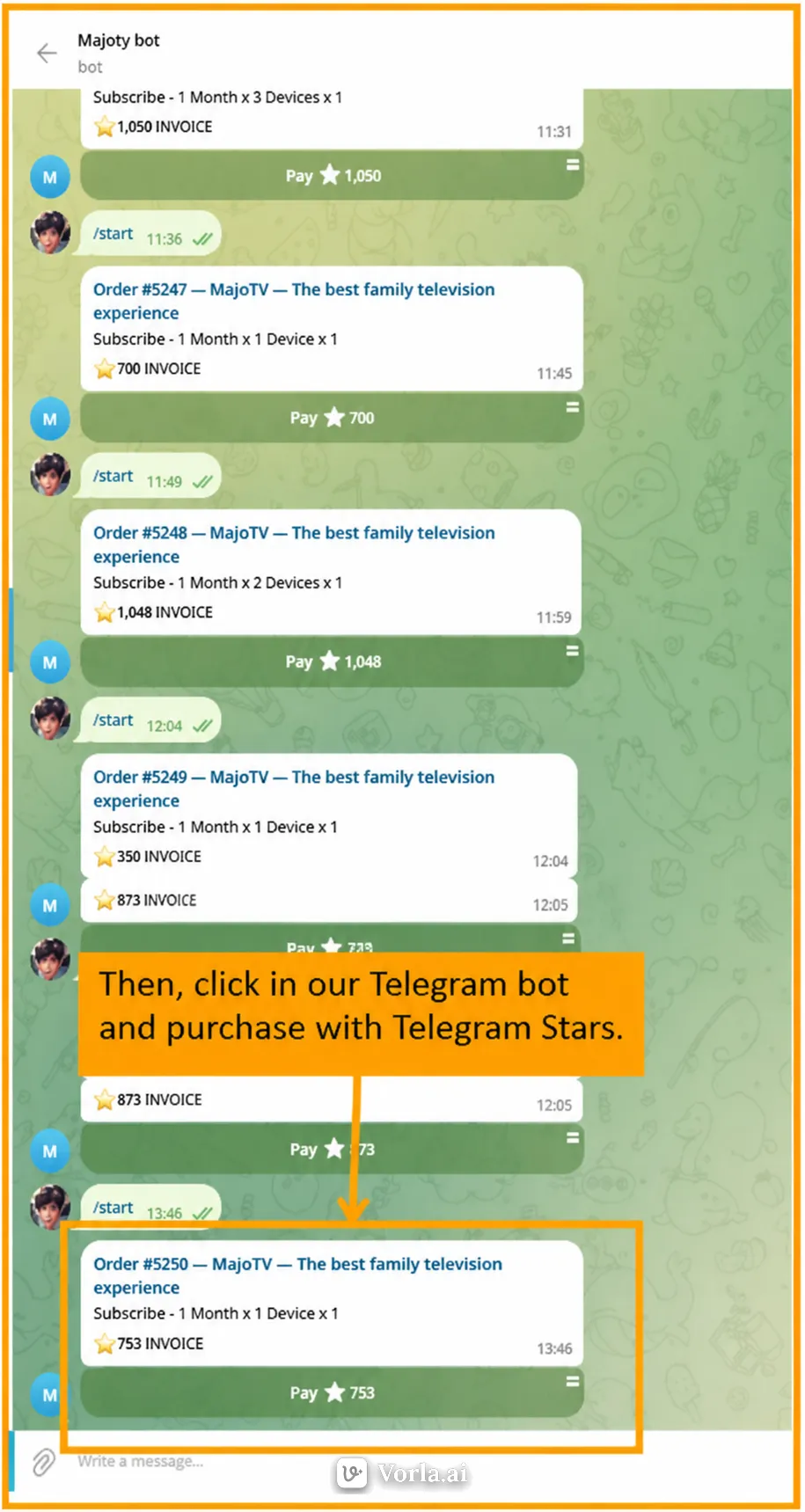
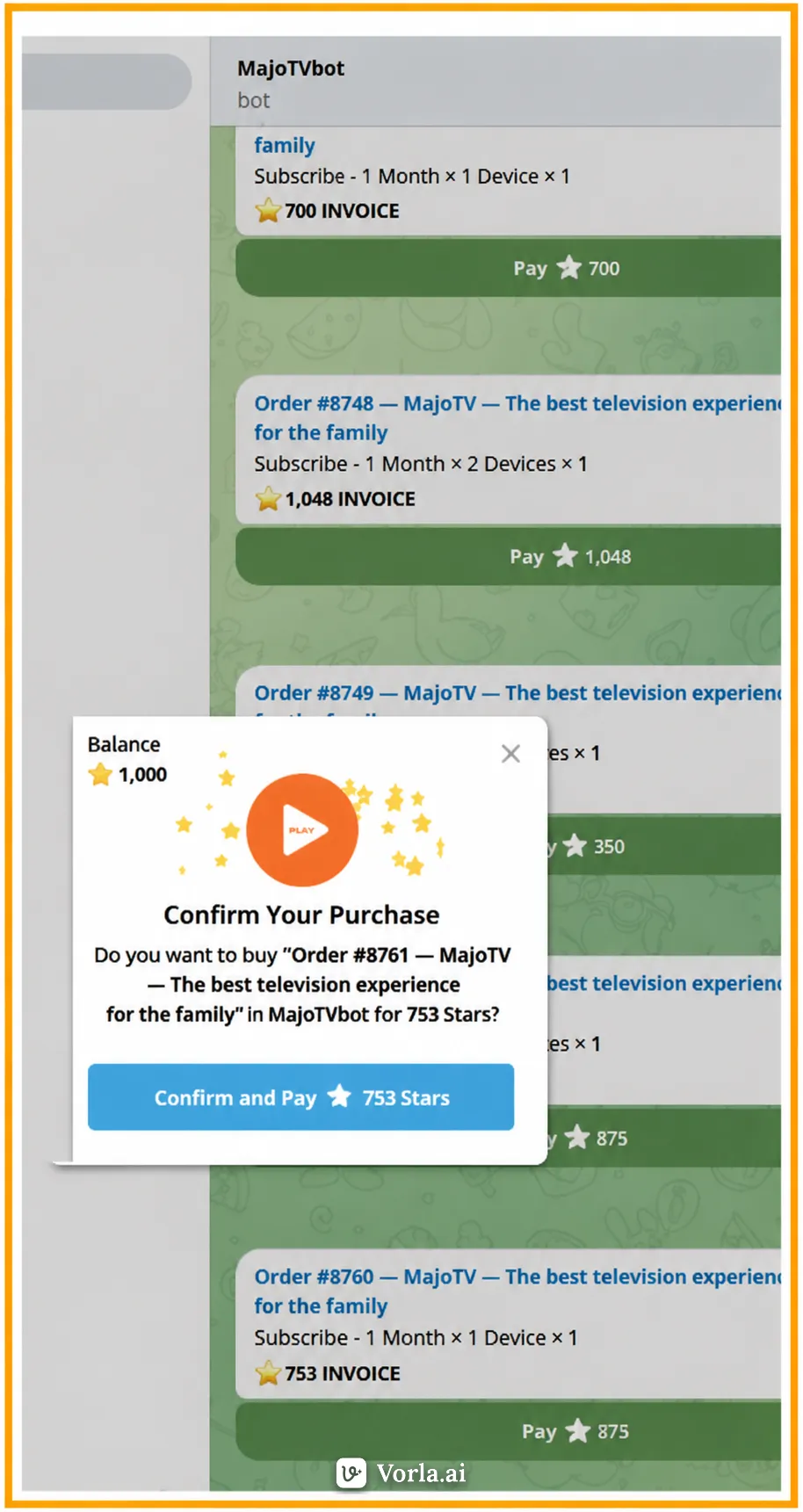
3. Then, click on our Telegram bot and purchase with Telegram Stars.โโโ

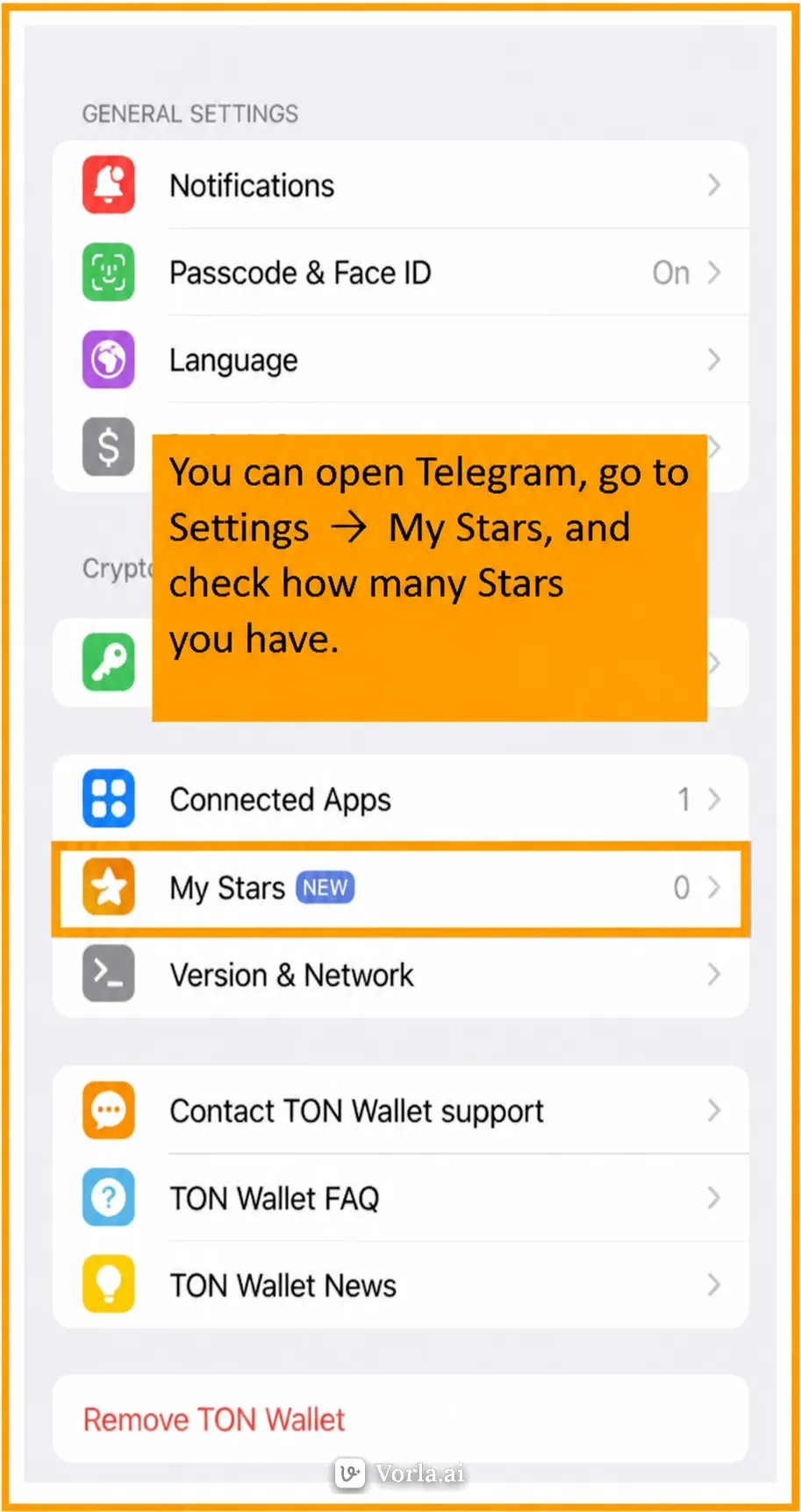
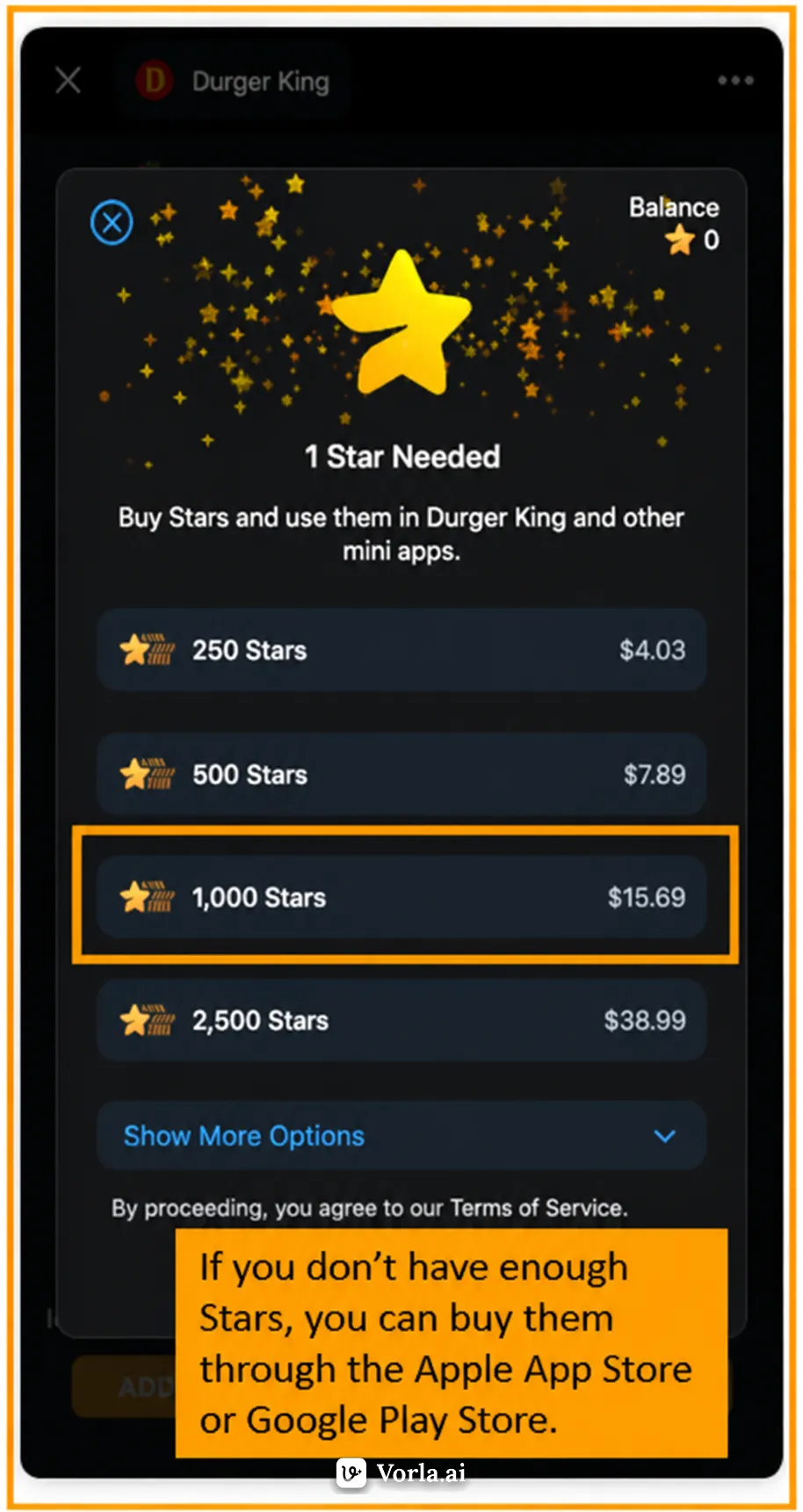
4. You can open Telegram, go to Settings โ My Stars and check how many Stars you have.โโ

5. If you don't have enough Stars, you can purchase them through the Apple App Store or Google Play.โ

6. Confirm and payโ

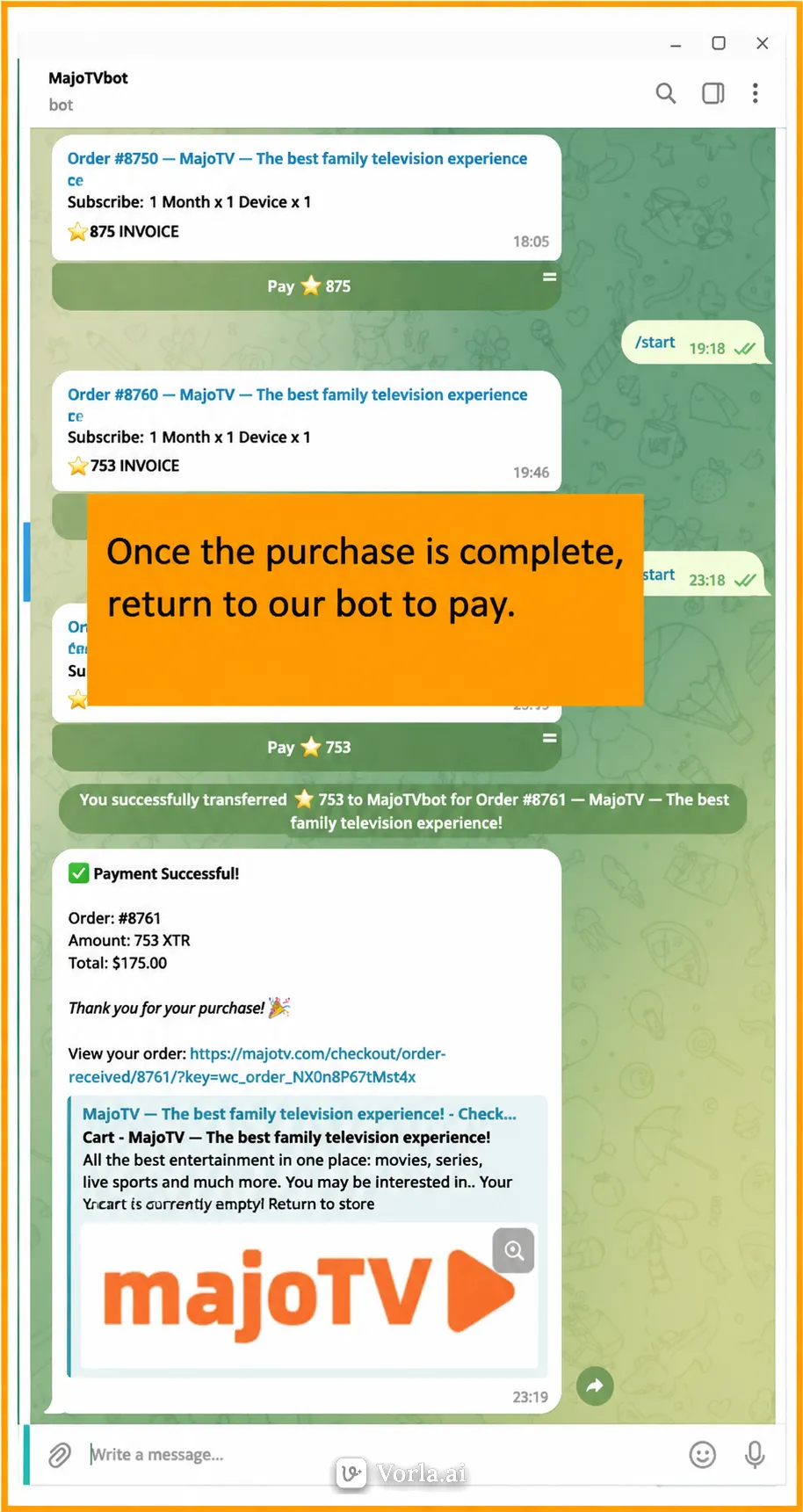
7. Once the purchase is complete, return to our bot to make the payment.โ

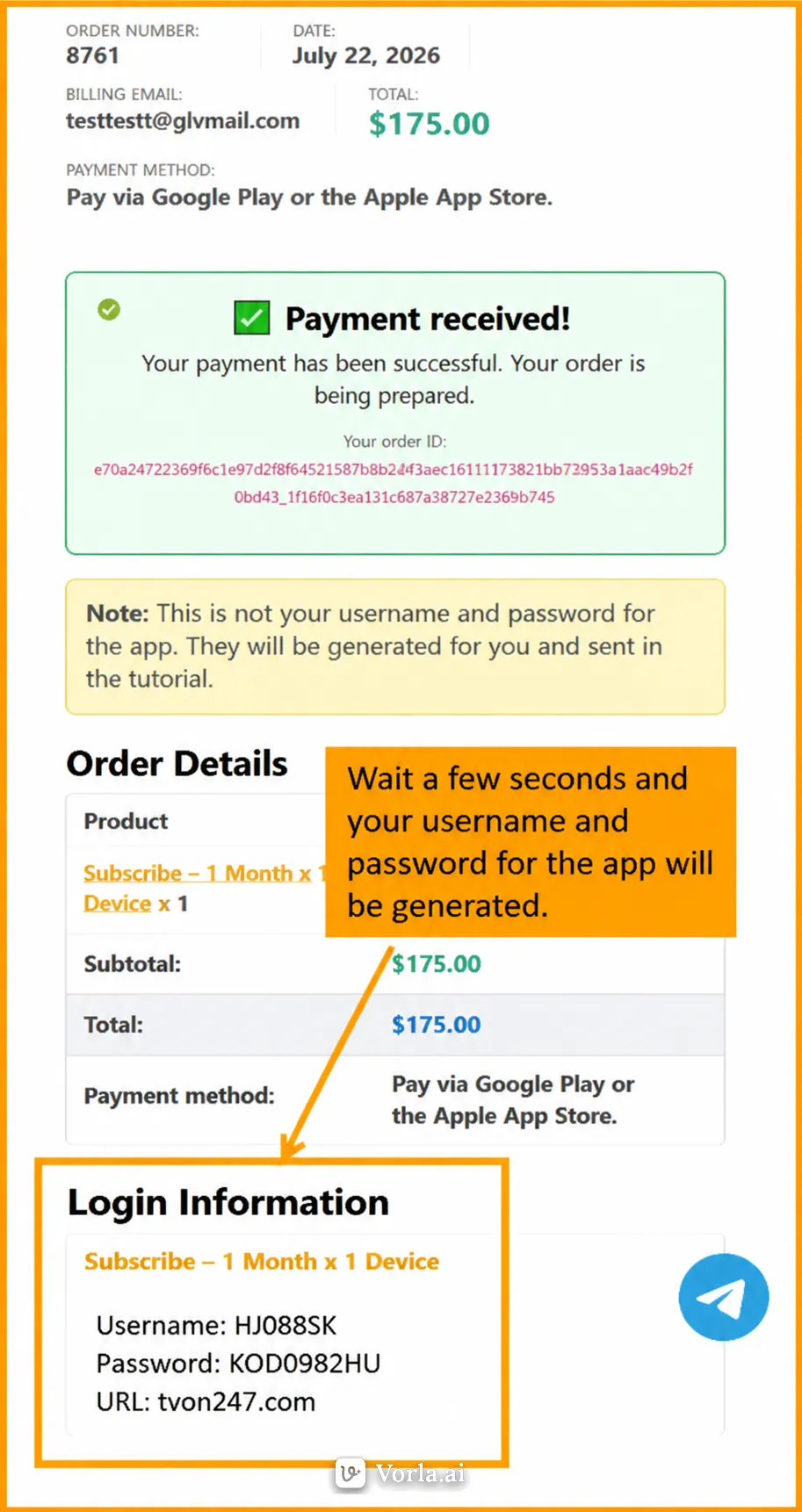
8. Wait a few seconds and your username and password for the app will be generated.โ

If you are in Mexico or Peru, you can subscribe directly on our website and pay with a local bank card.
You can also purchase "Telegram Stars" through Google Play Store or Apple App Store, and then redeem them for a membership with us.
Because when you purchase "Telegram Stars" through Google Play Store or Apple App Store, they charge approximately a 30% transaction fee.
Yes, we have a Telegram group. You can join by clicking the Telegram icon on our website. You will also find our customer support team there.
Free Trial Guide
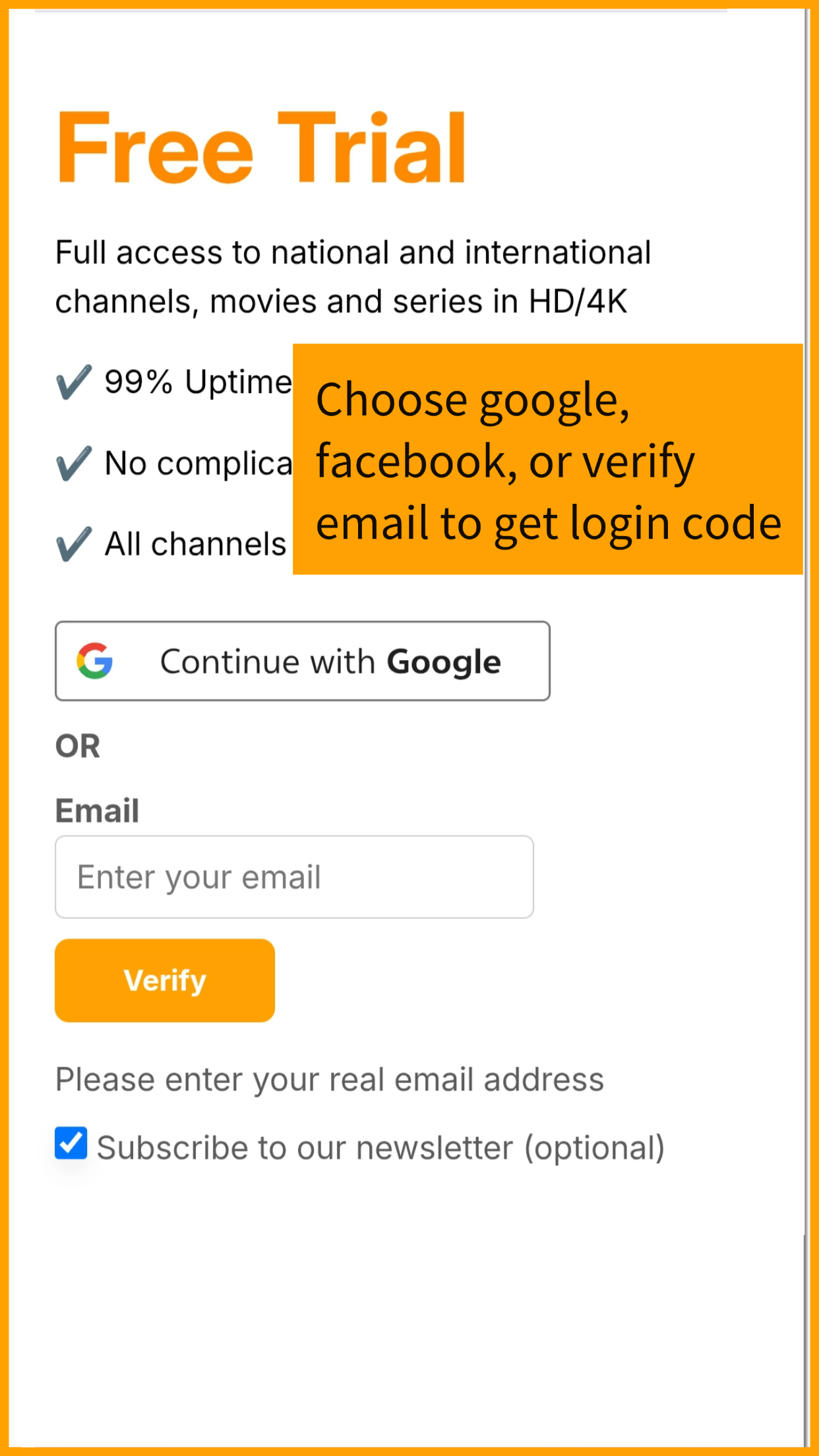
1. Log in with Facebook, Google, or your email.โ

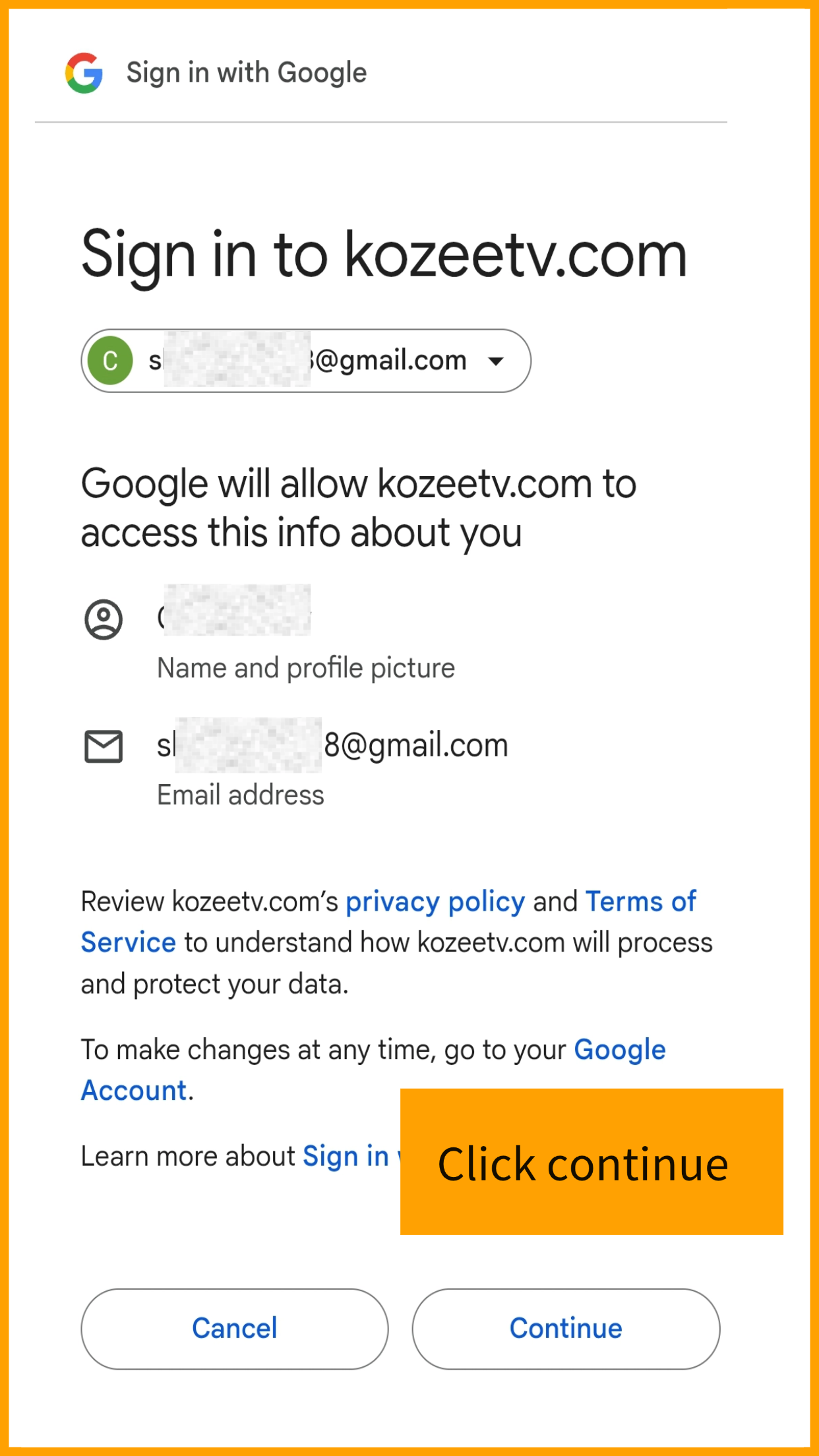
2. Continue authorization.โ

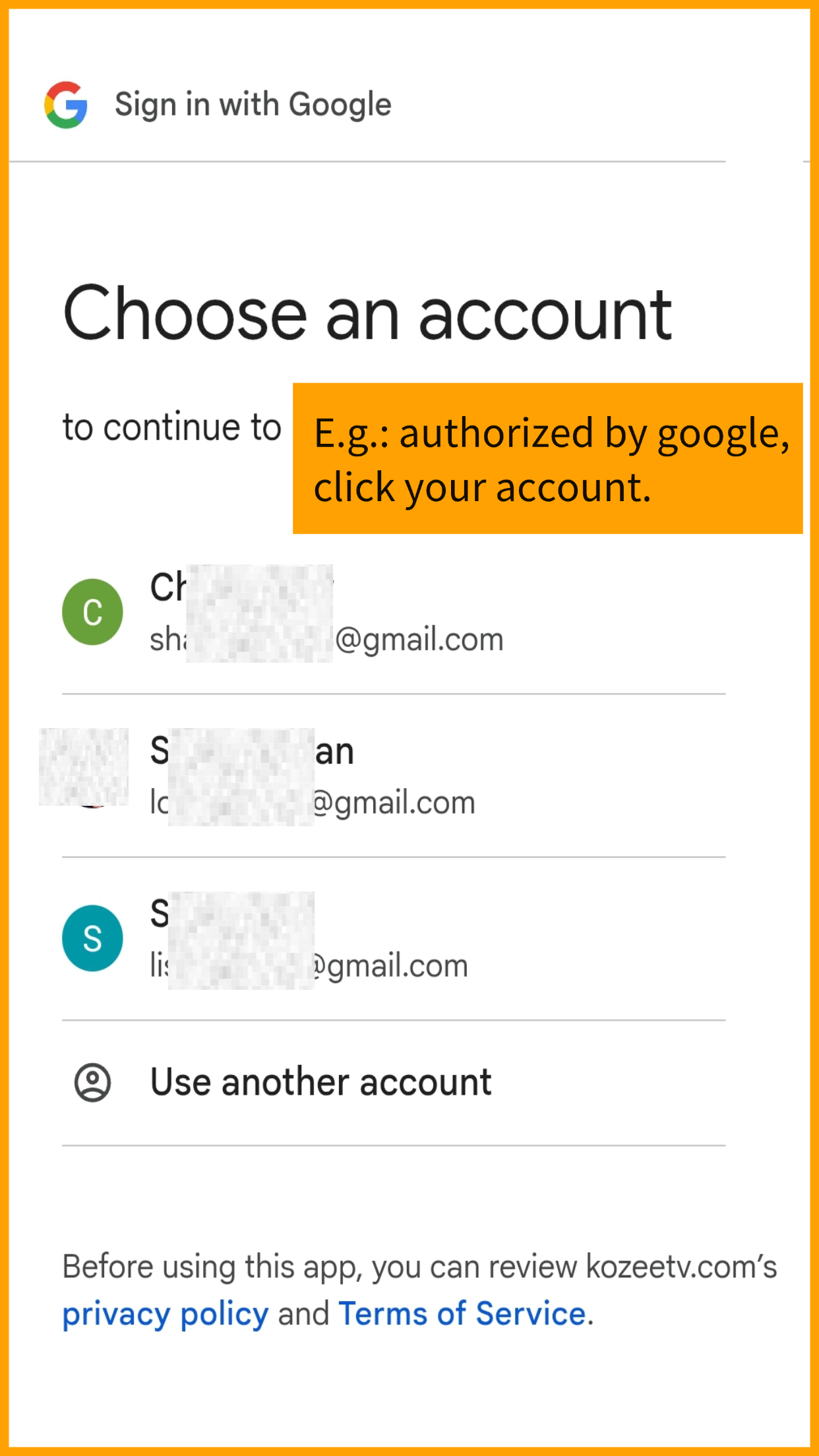
3. Choose your account.โ

4. Wait seconds for login details to generate. โ
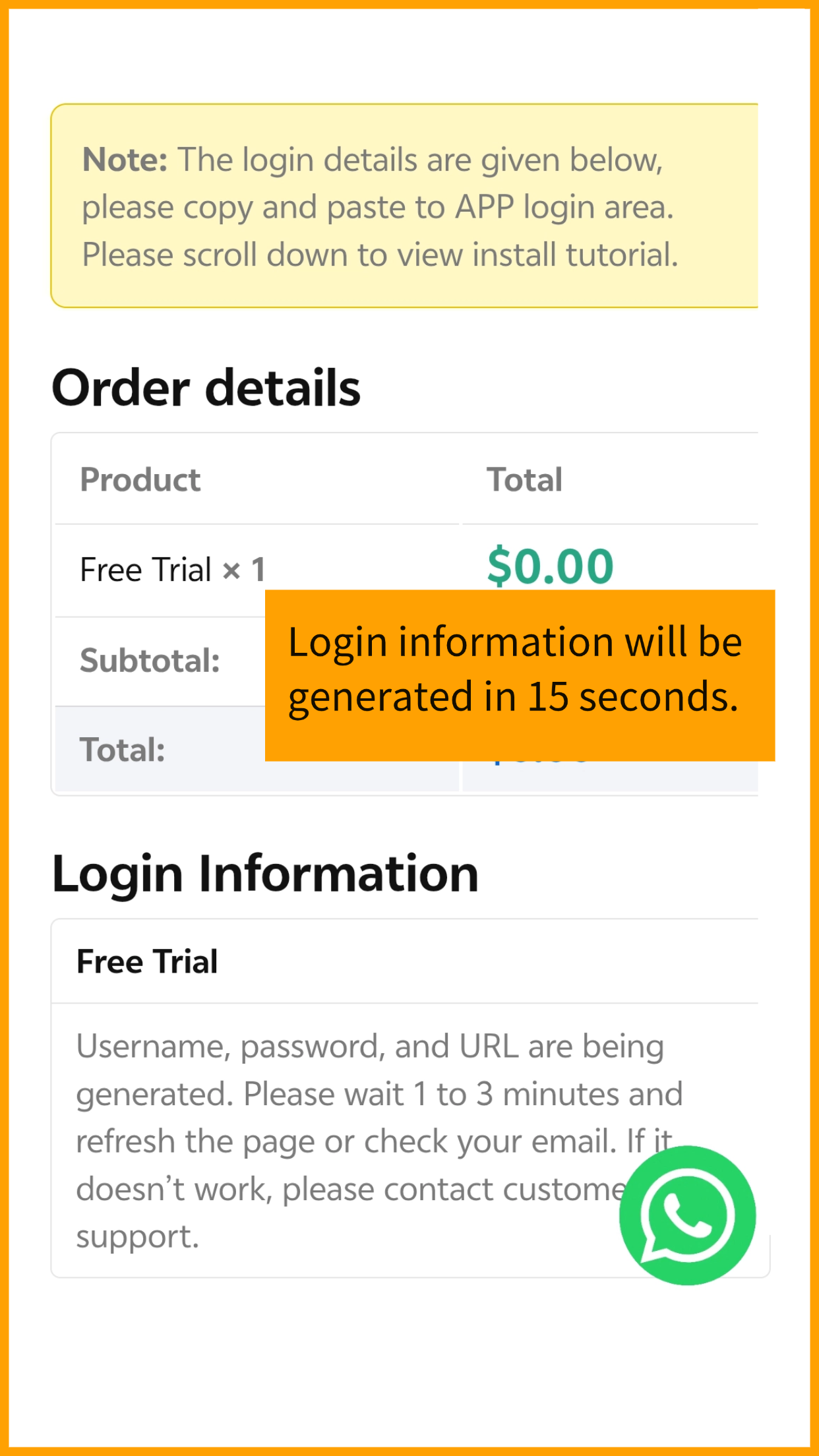
5. Use generated username โand password, prepare to log in App.โ

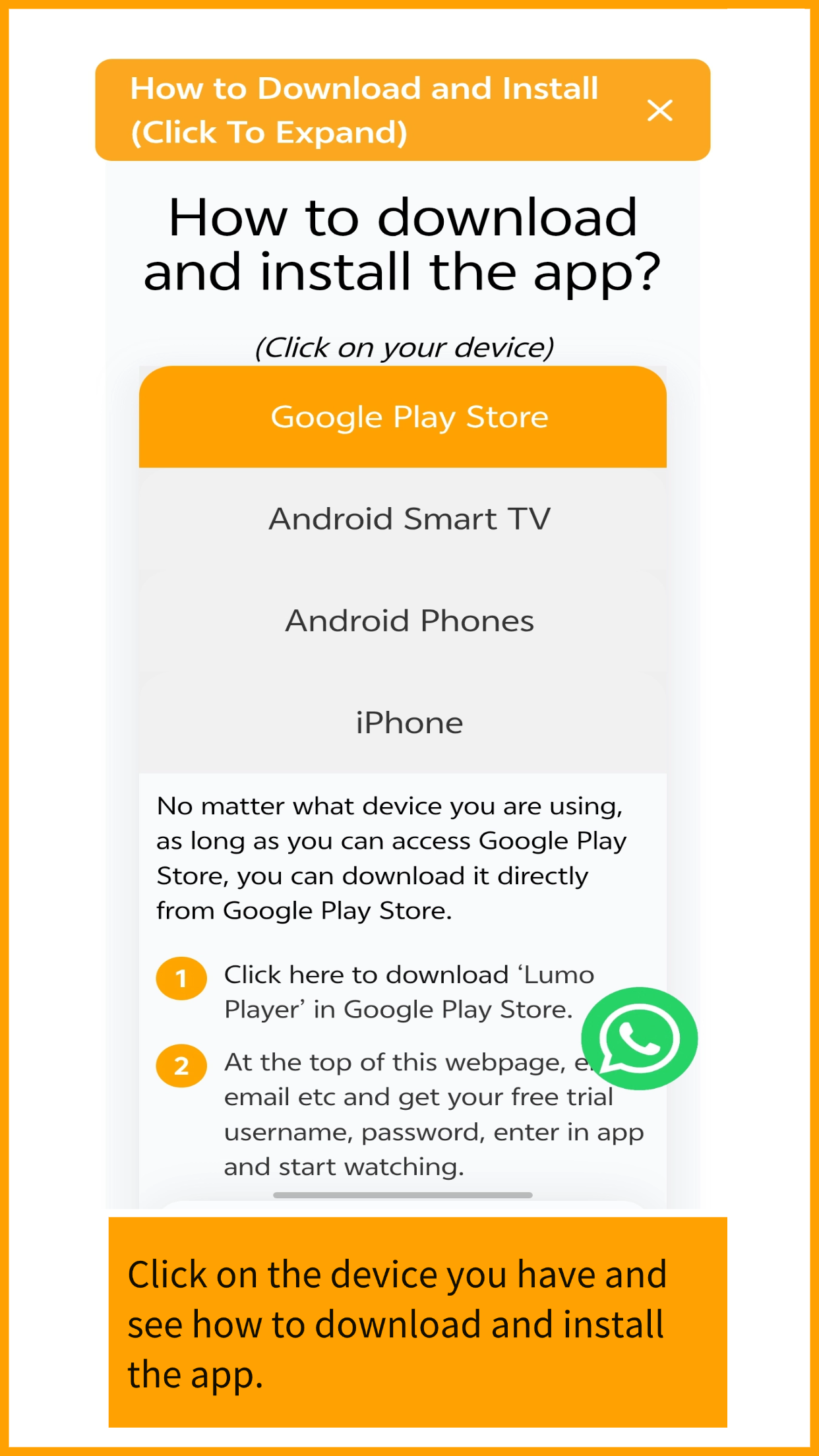
6. Click on your device and see tutorials how to download and install App.โ

7. Please allow the app to install, you can install this app with confidence.โ

8. After install, use generated login to log in the app then start watching.โ