QUICK LINKS:
GETTING STARTED
Here are the most frequently asked questions about KozeeTV.
KozeeTV โ The best IPTV content provider
Loved by users worldwide, KozeeTV offers unparalleled entertainment in one powerful app:
+20,000 LIVE channelsย โ News, sports, premium channels and much more.
+50,000 films and series ย โ Box office hits, series to watch and trending reality shows.
Why choose KozeeTV?ย ย No buffering, HD quality
ย ย Instant access, no contracts
ย ย The largest catalog in one place
Cut the cord. Watch smart.
The difference is as follows:
KozeeTV:ย ย ย Provides program content and manages member subscriptions.
IPTV Smarters:ย ย ย an IPTV player application, used to play our content (use the username and password we sent you to log in to the APP).
Note: The email you used to register is only used to receive your subscription login details; the email itself cannot be used to log in to the app.
Our content is fully compatible with the ‘IPTV Smarters Pro/Lite’ apps. Simply install the player to access all available programming. You can view/download this app hereย ย .
It is compatible with:
โ All iPhones
โ All Android smartphones
โ All Android TV boxes
โ Android Smart TVs (including Sony, Haier, JVC, Semp Roku and TCL)
*Note: KozeeTV only provides content. We do not sell or provide any devices.
ACCOUNT & ACTIVATION
In this section, you’ll find everything you need to manage your account: create a new account, recover your password, and update your personal information.
Please follow the steps below to create your account and log in:
Register hereย โ You will access the member panel.
Download ‘IPTV Smarters Pro/Lite’ย ย โ See theย ย installation FAQย ย to see how to download on different devices.
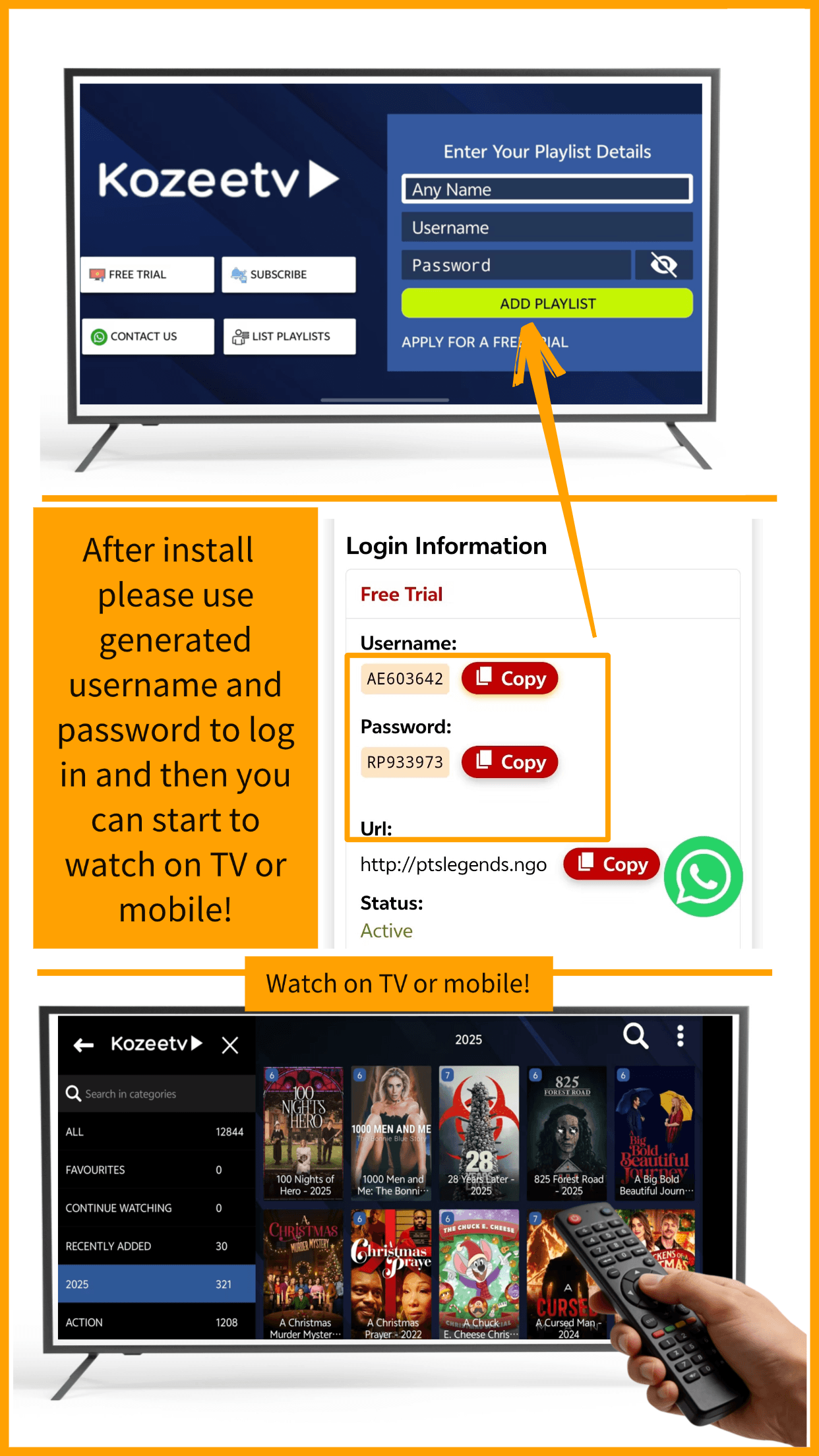
Use your dashboard login detailsย ย to access the APP after installation.
If you have forgotten your password to access the member panel, click hereย to recover it.
If you have forgotten yourย ย APP login username and passwordย : they are always available on the panel or in your email.
SUBSCRIPTION AND PAYMENT
In this section, you’ll find everything you need to know about plans and payments: how to get a free trial, extend or cancel your subscription, payment methods, refunds, and other frequently asked questions.
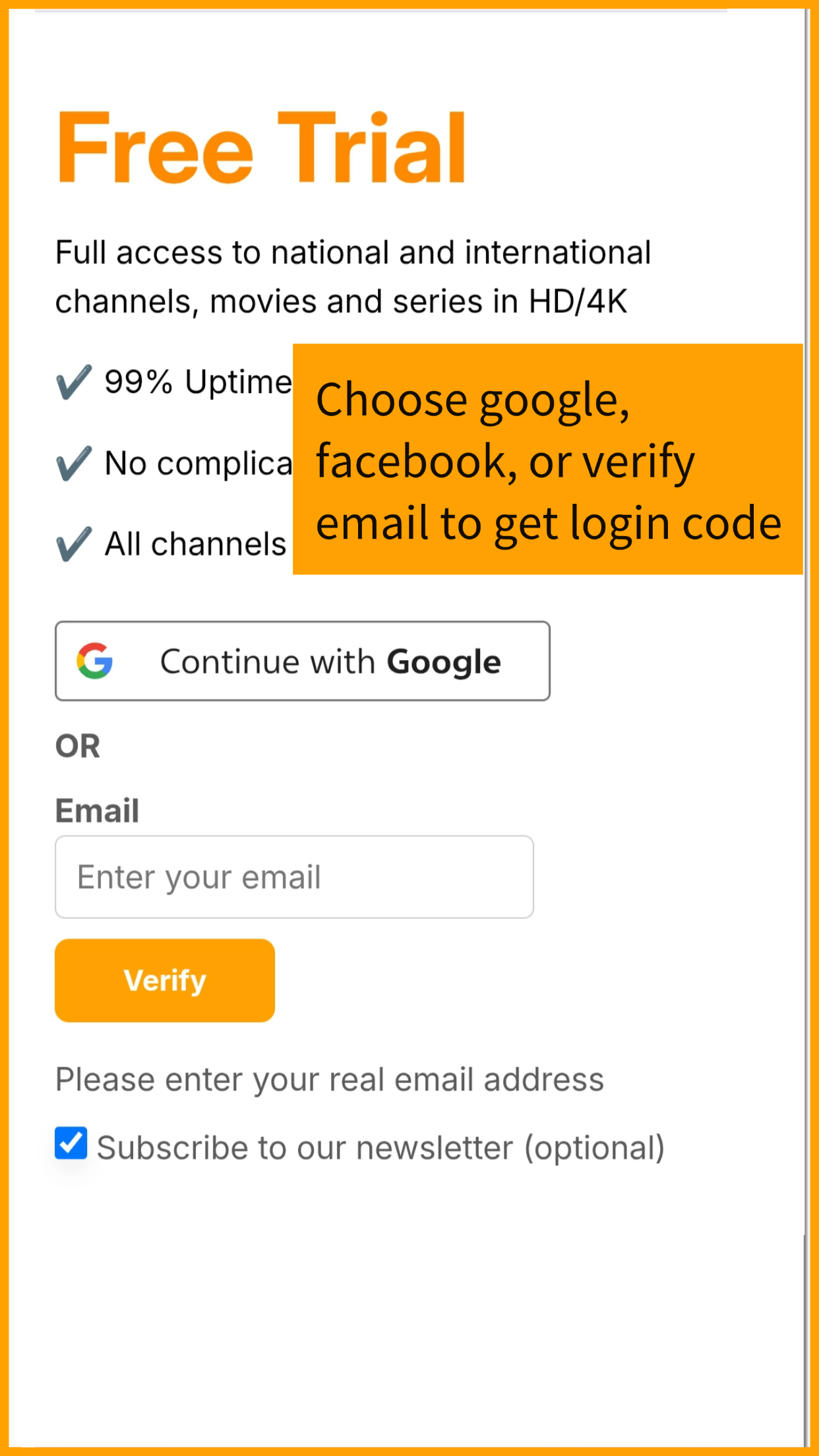
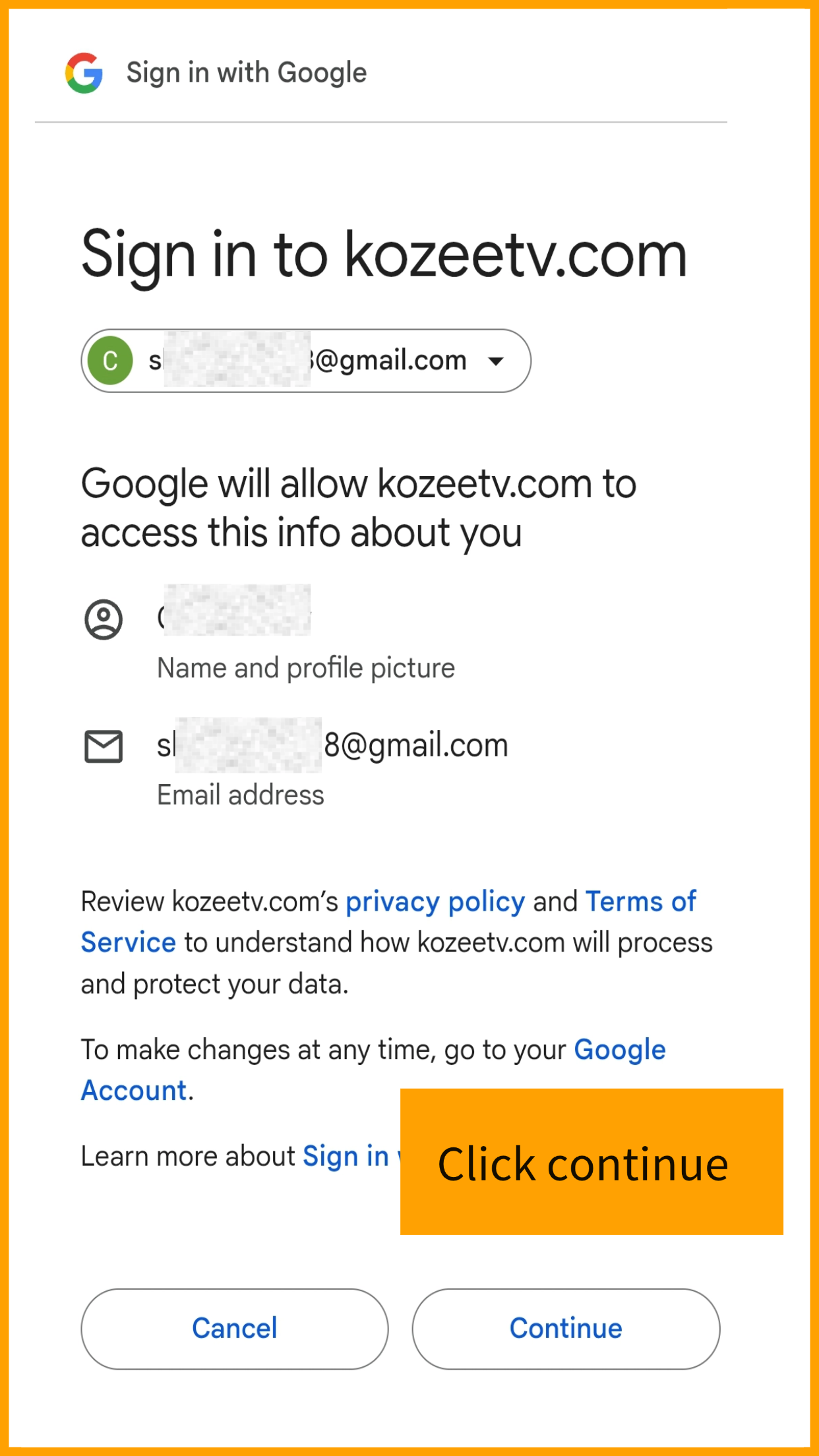
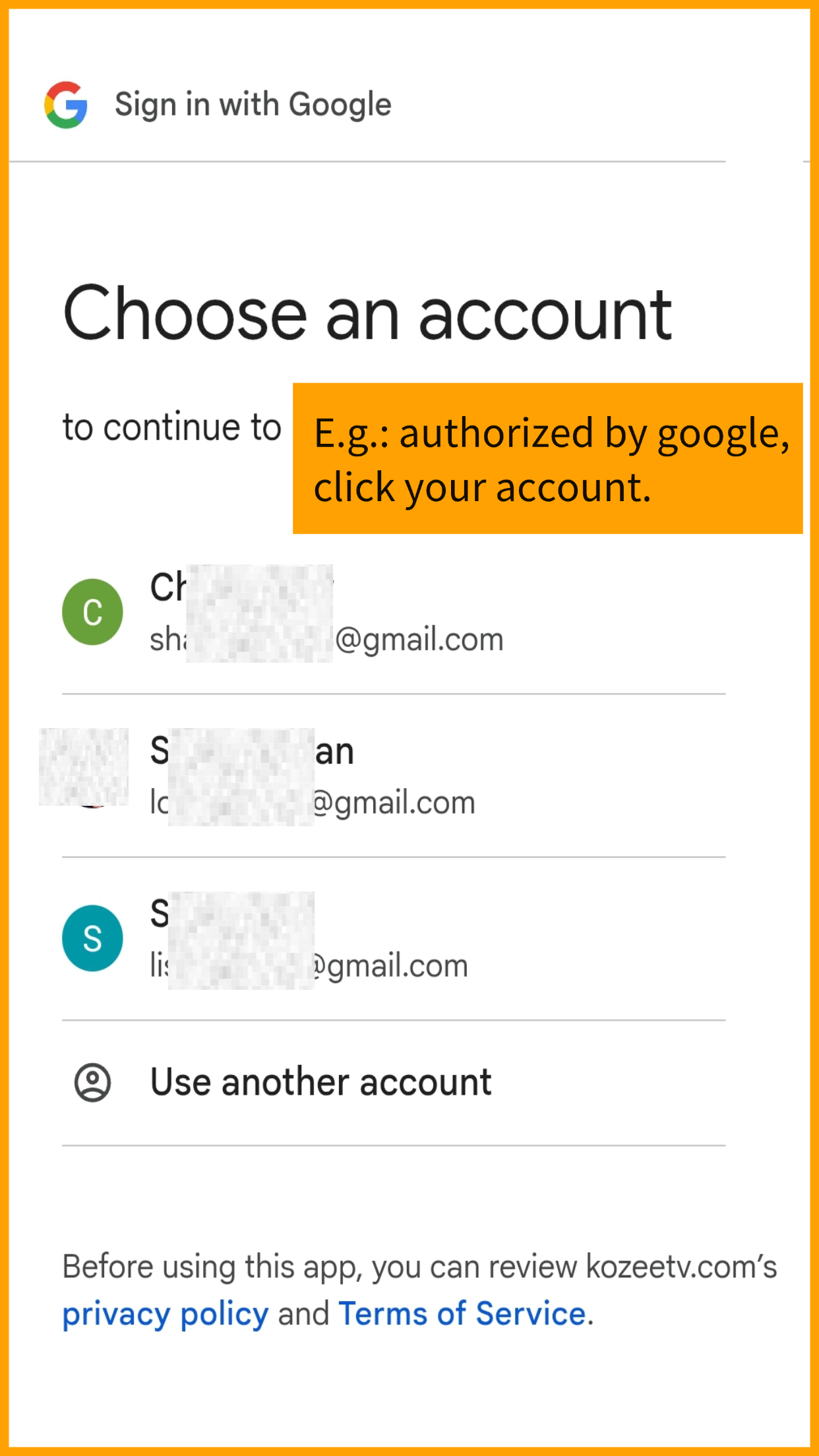
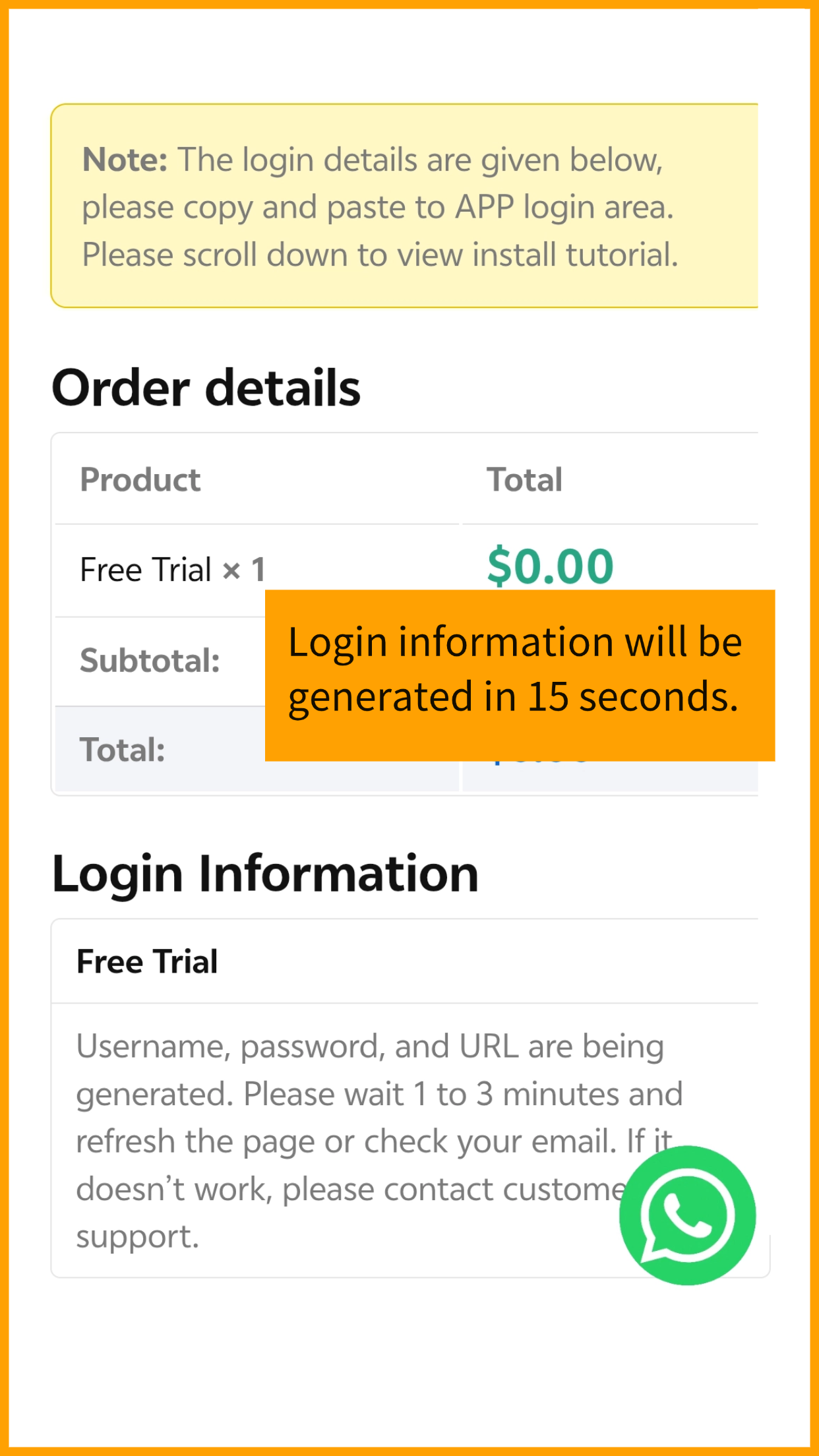
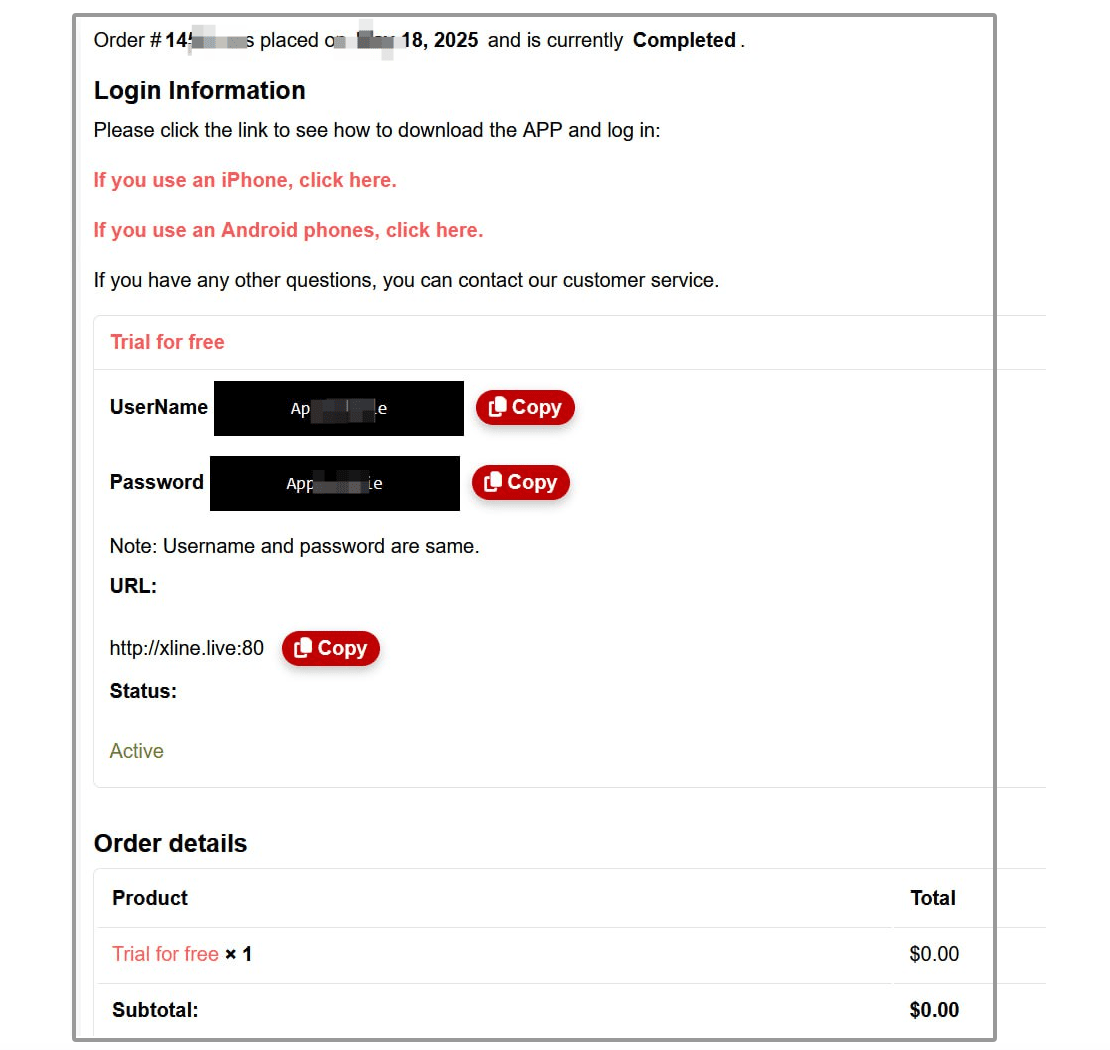
After registration, you will see the username and password for the test account onย yourย dashboardย .
A trial account is assigned every Monday to new members. Each new member will have at least 24 hours of trial time, with only one trial account.
You need to download the app and use the login details above to access it. Check the FAQ to see which device you use and download the appropriate one.
Trial account details in dashboard
How do I renew my subscription?
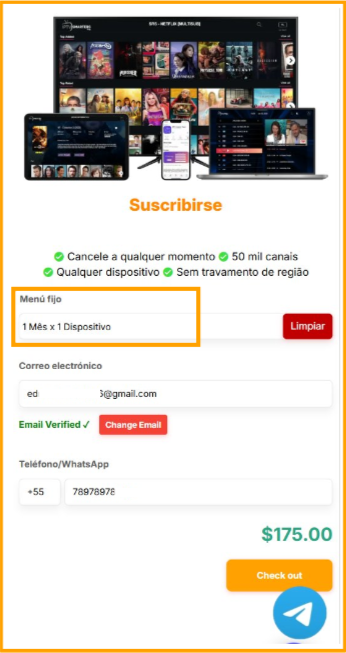
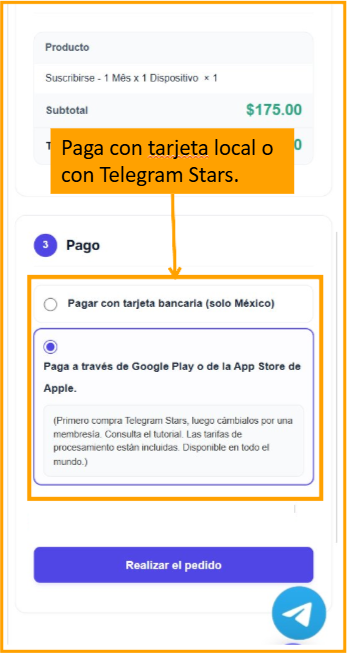
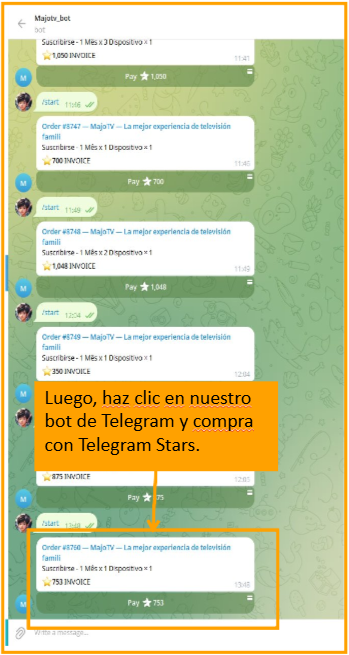
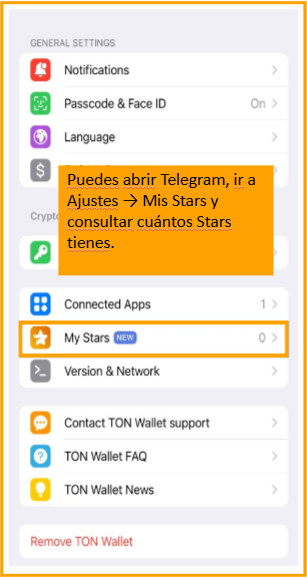
If you want to renew your subscription or subscribe after the trial period, follow these steps:
At checkout, you’ll see the available payment methods. We generally accept the most popular payment methods locally.
If you made a payment by card and your account is not yet active, we kindly ask that you check that you are logged into the correct account.
However, if you paid by card, waited the specified number of days, and are sure you’re logged into the correct account, but your subscription remains inactive, please send us proof of payment along with a screenshot of the ‘My Account’ menu. This will expedite the resolution process and help us investigate and resolve the issue promptly.
If the app has not been activated after payment, please send to our customer service team:
โ Proof of payment / Order number
โ Screenshot of your profile page in the app (if any)
Because KozeeTV only provides the content, we need a third-party video player to play the programming.
The difference is as follows:
KozeeTVย : provides program content and manages your subscription orders (use your email to register).
IPTV Smartersย : The video player app (use the username and password we sent you to log in to the APP).
*Note: The email address you used to register is only used to receive your login details. The email address itself cannot be used to log in to the app.
If you already have an active plan and recharge again on the same account, don’t worryโyou won’t lose your valid days! They’ll be added to the new plan, and their expiration date will be extended accordingly.
We have a 7-day refund policy. You can request a refund within 7 days of your subscription.
I mistakenly paid for IPTV Smarters Pro, thinking it was your subscription. What should I do now to cancel?
When you log in to theย ย IPTV Smarters Proย app interface , you must use the login details we send you (also visible in your subscription dashboard on our website).ย ย We only provide the content , which must be played in theย “IPTV Smarters”ย appย ย ย (a third-party IPTV player). If you paidย ย directly to themย , please request a refund through them, as we cannot provide this information. The image below shows where their subscription portal is located:
INSTALL THE APPLICATION
In this section, you will learn how to install and configure KozeeTV on the following devices: iPhone, Android phones, TV Boxes, Smart TVs, Windows PC, Mac and more.
ย
ย
ย
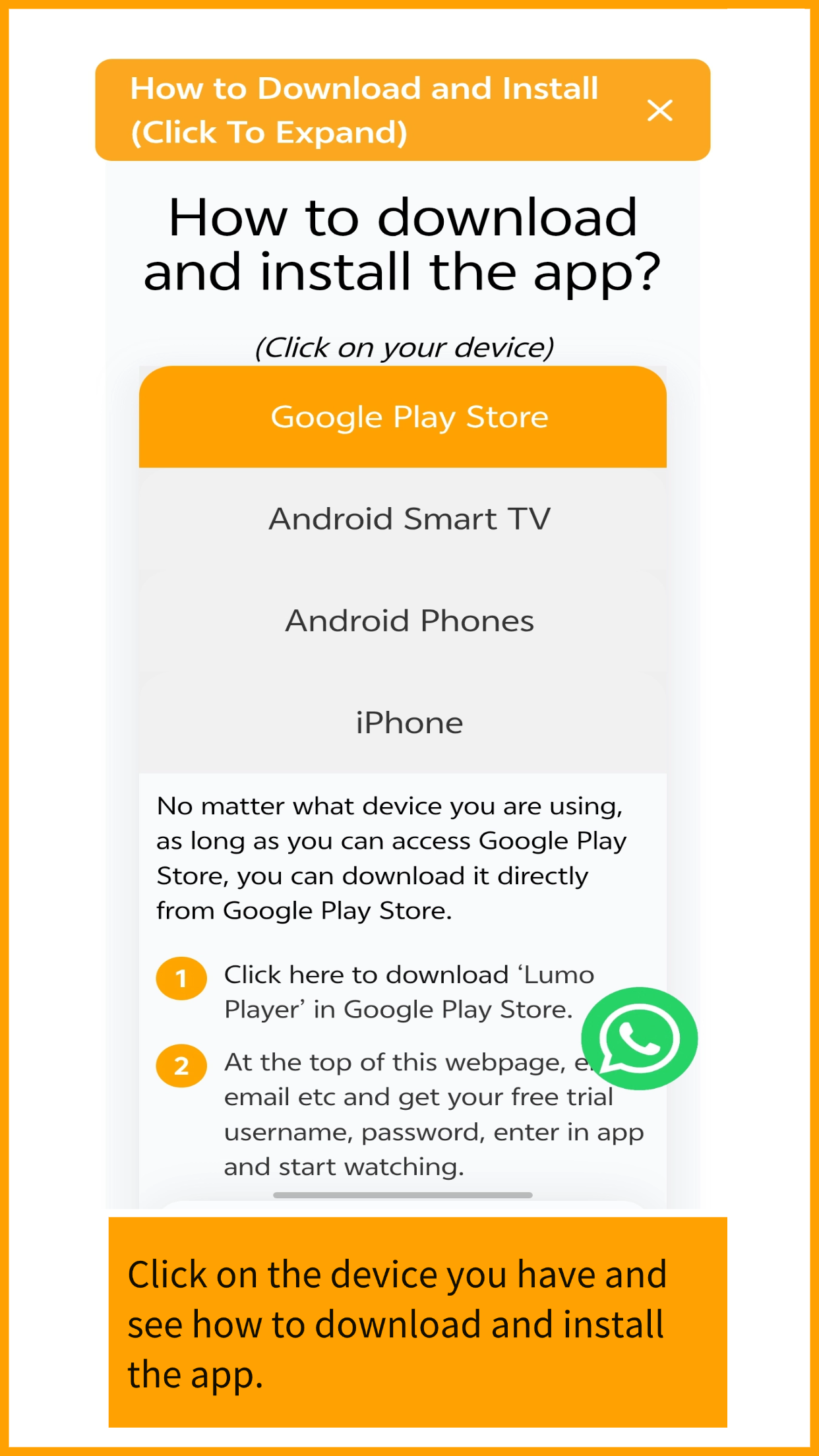
If the Google Play Store is available on your TV device, please download the โLumoPlayerโ app. You can log in directly with your username and passwordโno URL entry is required.
โIf google play store not available on your TV, use any third-party IPTV player in your TV app store will work the same too.
โRecommended Players by Device:
Note: If these apps are not available on your TV, simply search your app store for โIPTVโ or โIPTV Player.โ Any compatible player will work with the login details generated from our website.
We are an IPTV content provider. To access our content, you first need a third-party IPTV player app (as long as you can install the app, you can access our content) and then log in using our credentials. We recommend using theย ย ‘IPTV Smarters’ย app , which is free and easy to use.
Please watch the video below to understand how to install IPTV Smarters Pro on your PC:
Note: You can download it from the Microsoft Store or directly here.
After installation, to obtain your login credentials, start the trial directly here.ย You’ll see the login details in your website dashboard/email, and you’ll then be able to access our content.
Note: Any paid services or ads within third-party apps are not affiliated with us. You can also visit their websiteย here.ย
We are an IPTV content provider. To access our content, you first need a third-party IPTV-compatible app (as long as you can install the app, you can access our content), then log in using our credentials. We recommend using the free and easy-to-use ‘IPTV Smarters’ app.
Watch the video below to understand how to install IPTV Smarters Pro on your Apple TV:
After installation, to obtain your login credentials, start the trial directly here.ย You’ll see the login details in your website dashboard/email, and you’ll then be able to access our content.
Note: Any paid services or ads within third-party apps are not affiliated with us. You can also visit their websiteย here.ย
We are an IPTV content provider. To access our content, you first need a third-party IPTV player app (as long as you can install the app, you can access our content), then log in using our credentials. We recommend using the ‘IPTV Smarters’ app, which is free and easy to use.
Please watch the video below to understand how to install IPTV Smarters Pro on your Chromecast:
After installation, to obtain your login credentials, start the trial directly here.ย You’ll see the login details in your website dashboard/email, and you’ll then be able to access our content.
Note: Any paid services or ads within third-party apps are not affiliated with us. You can also visit their websiteย here.
Already have an account?